
Construction Equipment Management: Integrated ERP or Bolt-On Software?
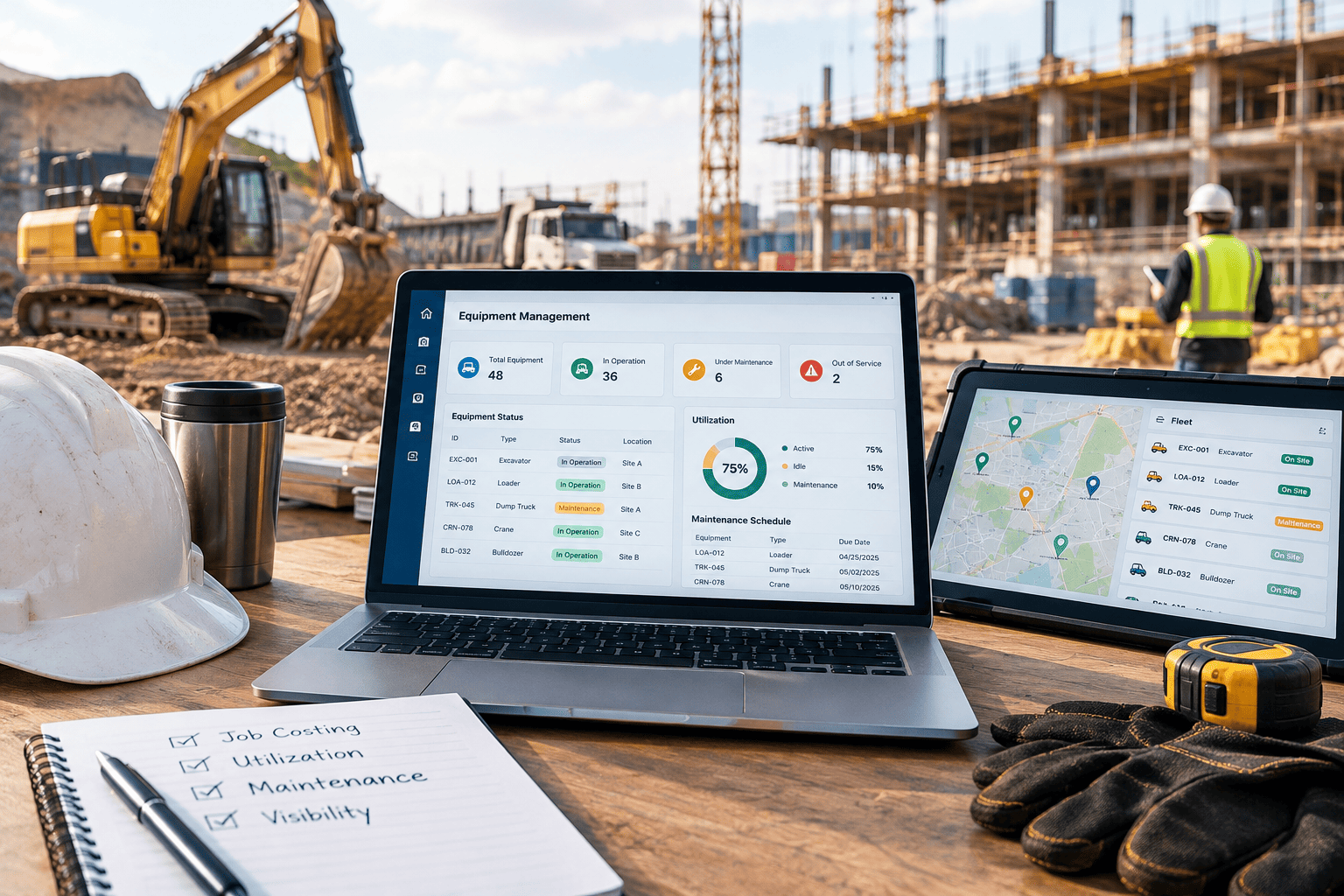
For many contractors, equipment is the largest capital investment on the balance sheet after people. Excavators, loaders, cranes, trucks, generators, and small tools represent millions of dollars in assets – and every hour they sit idle, break down unexpectedly, or get charged to the wrong job erodes margin.
Yet equipment is often managed in a system that sits beside the rest of the business: a standalone fleet application, a telematics portal, a maintenance tracker, or a spreadsheet maintained by the shop foreman. The question contractors increasingly face is whether that bolt-on approach still makes sense, or whether equipment management belongs inside the construction ERP that already runs job costing, payroll, and financials. This guide compares both options so you can choose the model that fits your operation.
Why Equipment Management Is a Strategic Decision
Equipment touches nearly every part of a construction business. It drives job cost, influences bid accuracy, consumes maintenance labor and parts, generates depreciation, and determines whether crews can start work on time. When equipment data is disconnected from those processes, the consequences compound:
• Job costs are understated or misallocated because equipment hours are not charged to the right project and cost code.
• Bids rely on outdated internal rates that do not reflect actual ownership and operating costs.
• Maintenance is reactive, leading to breakdowns in the middle of critical-path work.
• Buy, rent, or sell decisions are made on instinct rather than utilization and cost data.
The Bolt-On Approach: Strengths and Trade-Offs
Standalone equipment and fleet management tools are popular for good reasons. Many are built specifically for maintenance shops or fleet managers and offer depth in a narrow area.
Where Bolt-On Tools Shine
• Specialized maintenance features such as detailed service histories, parts catalogs, and mechanic work orders.
• Telematics connectivity that pulls engine hours, location, and fault codes directly from machines.
• Fast deployment for a single department without changing the rest of the business.
• Mobile-friendly field interfaces for operators and mechanics.
Where Bolt-On Tools Fall Short
• Manual or batch integration with job costing, often through exports and imports that introduce delays and errors.
• Duplicate master data: equipment records, cost codes, employees, and vendors maintained in two places.
• Partial financial picture: depreciation, financing, insurance, and fuel purchases live in accounting, while hours and maintenance live in the fleet tool.
• Fragmented reporting: answering “what did this excavator really cost us on this job?” requires stitching data together.
• Additional licensing, support, and integration maintenance that grow with every connected system.
The Integrated ERP Approach
In an integrated model, equipment is managed within the same construction ERP that handles projects, job costing, payroll, procurement, and the general ledger. A cloud platform such as Acumatica, with its construction and project accounting capabilities, treats each piece of equipment as both an asset and a cost driver.
Equipment Costs Flow Directly to Jobs
When equipment time is entered – whether on a daily field report, a timesheet alongside operator labor, or imported from telematics – it posts to the correct project, phase, and cost code at the configured rate. Job cost reports show equipment alongside labor, materials, and subcontracts in real time, rather than after a monthly reconciliation.
One Source of Truth for Equipment Records
Each unit has a single record that links its fixed asset details, depreciation schedule, financing, insurance, maintenance history, and usage. Finance, operations, and the shop all see the same data.
Maintenance Connected to Procurement and Payroll
Preventive maintenance schedules can be driven by hours, mileage, or calendar intervals. Parts purchased for repairs flow through standard purchasing and inventory, and mechanic labor is captured through the same payroll system as field crews. The total cost of keeping a machine running becomes visible without manual effort.
Accurate Internal Rates and Smarter Bids
Because ownership costs (depreciation, interest, insurance) and operating costs (fuel, repairs, labor) are all recorded in one system, contractors can calculate realistic internal equipment rates and feed them into estimates. That closes the loop between what you bid and what work actually costs.
Utilization Visibility for Fleet Decisions
Integrated reporting shows utilization by unit, class, and project. Underused assets become candidates for sale or redeployment; heavily used rental categories may justify a purchase. These decisions move from instinct to evidence.
Field Capture That Feeds Everything
The value of integration depends on how easily data gets in. With mobile daily reports, foremen record crew hours, equipment hours, and idle or standby time in a single entry from the jobsite. That one entry updates job cost, payroll, and equipment usage at the same time, eliminating the separate equipment log that is so often filled in from memory at the end of the week.
A Practical Example: One Excavator, Two Pictures
Consider a mid-sized excavator assigned to a site development project for six weeks. In a bolt-on environment, the fleet system records engine hours from telematics, the shop logs a hydraulic repair, and accounting records the monthly loan payment and a fuel card statement. The job is charged a flat weekly equipment rate that was set two years ago. Nobody sees that the repair, fuel, and downtime pushed the machine’s true cost well above the rate charged to the job – until the project closes with a thinner margin than expected.
In an integrated ERP, the same events are recorded in one place. Repair parts and mechanic labor post against the unit, fuel is allocated by usage, and the project absorbs equipment cost based on actual hours at a current rate. The project manager sees the variance during the job, while there is still time to act, and the estimating team updates the rate for the next bid.
Side-by-Side Comparison
| Factor | Bolt-On Equipment Software | Integrated Construction ERP |
| Job cost accuracy | Depends on manual or periodic sync | Real-time posting to project and cost code |
| Equipment master data | Maintained in multiple systems | Single record across finance and operations |
| Maintenance depth | Often very deep | Strong, with links to purchasing and payroll |
| Telematics | Native in many tools | Available through integration |
| Ownership cost visibility | Limited; finance data lives elsewhere | Depreciation, financing, and operating costs together |
| Internal rate setting | Manual calculation | Calculated from actual recorded costs |
| Reporting | Departmental | Enterprise-wide, by unit, job, and division |
| Total cost of ownership | Lower entry cost, rising integration cost | Higher initial scope, fewer systems to maintain |
When a Bolt-On Tool Still Makes Sense
Integration is not automatically the right answer for every contractor. A specialized tool may still be the better fit when:
• Your fleet is small and largely rented, so ownership costing is less critical.
• You operate a large, dedicated maintenance shop that needs highly specialized repair functionality.
• Equipment rental to third parties is a separate line of business with its own billing requirements.
Even in these cases, the best results come when the specialized tool is tightly integrated with ERP so that hours, costs, and asset records stay synchronized automatically.
Signs It Is Time to Bring Equipment into ERP
• Project managers question equipment charges on job cost reports.
• Your internal equipment rates have not been updated in years.
• Month-end requires reconciling hours from the fleet system with payroll and accounting.
• Finance cannot quickly answer what a specific unit costs to own and operate.
• Unplanned breakdowns are delaying jobs and triggering emergency rentals.
• You are adding divisions, regions, or entities and need consolidated visibility.
If several of these sound familiar, the hidden cost of the bolt-on model is likely higher than it appears.
Making the Transition Successfully
Moving equipment management into ERP is as much a process project as a software project. A successful transition typically includes:
• Standardizing equipment classes, cost codes, and rate structures before migration.
• Cleaning and consolidating equipment master data from fleet tools, spreadsheets, and the fixed asset register.
• Defining how field crews capture equipment time, ideally on the same mobile daily reports used for labor.
• Connecting telematics where it adds value, so engine hours update maintenance schedules automatically.
• Training shop, field, and finance teams together so every group understands how its data affects the others.
How Acuvera Tech Helps Contractors Decide and Deliver
Acuvera Tech has spent more than 36 years helping organizations implement ERP that reflects how they actually operate. As an Acumatica Gold Partner, our team works with general contractors, specialty contractors, and heavy civil firms to evaluate their equipment processes, recommend the right integration model, and configure Acumatica so equipment, projects, and financials work as one. Whether you consolidate everything into ERP or connect a specialized tool, the goal is the same: accurate job costs and confident fleet decisions.
Get a Clear Picture of Your Equipment Costs
Talk with Acuvera Tech’s construction ERP specialists about bringing equipment, job costing, and financials together in Acumatica. We will review your current setup and show you what an integrated approach could look like for your fleet.