
Equipment & Asset Management in Acumatica: From the Yard to the Job Cost Report
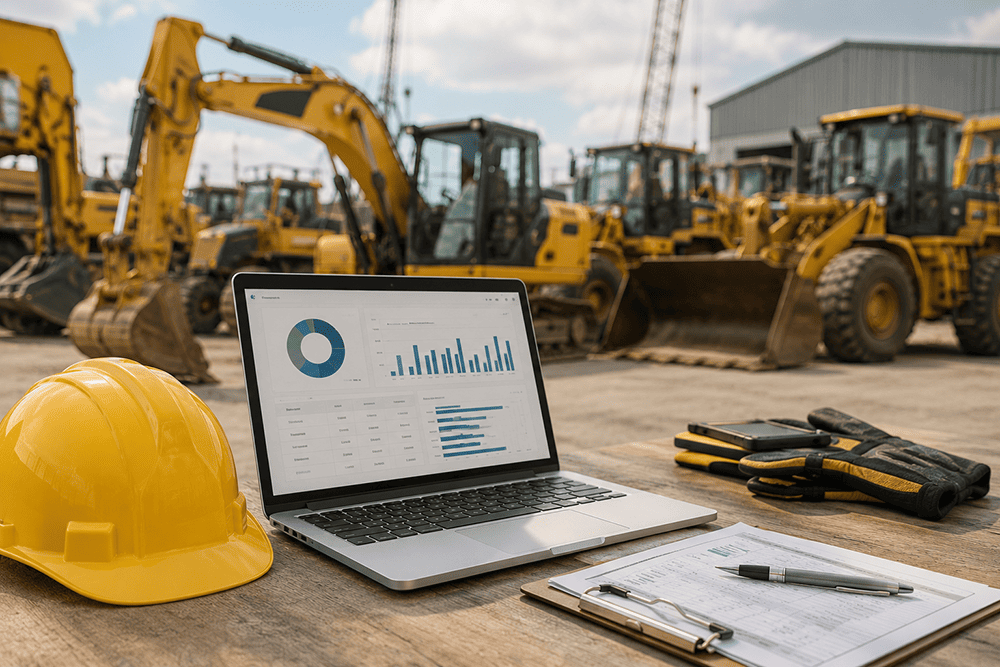
Heavy equipment is often the second-largest cost on a construction project after labor – and one of the least understood. An excavator sits idle on one site while a project manager across town approves a rental for the same class of machine. A loader runs to failure because no one tracked its maintenance interval, stalling a project for days while a replacement is sourced. Depreciation gets tracked in a spreadsheet that never quite matches what the accounting system says, and reconciling the two becomes a recurring monthly chore instead of a non-issue. These are equipment blind spots, and they’re expensive ones – not because any one decision was wrong, but because no one had the visibility to make a better one. This post is a feature deep-dive into how Acumatica Construction Edition’s equipment and asset management module closes that gap, connecting the yard directly to the job cost report.
The Real Cost of Equipment Blind Spots
Most construction companies don’t lack equipment data – they lack a single place where it lives. Utilization gets tracked informally by superintendents who know their own site but not the others. Maintenance is scheduled reactively, after something breaks, rather than proactively based on hours or mileage. And because equipment costs are rarely tied cleanly to specific jobs, project managers make profitability calls without knowing what their machines actually cost to run. The result is a pattern seen across the industry: unnecessary rental spend on equipment that’s sitting idle elsewhere, unplanned downtime at the worst possible moment, and job cost reports that understate or misallocate one of the largest line items on the project.
Multiply that across a fleet of dozens of assets and a handful of active job sites, and the cumulative cost of these blind spots – in rental duplication, downtime, and mis-costed jobs – often rivals or exceeds what a single serious equipment failure would cost. Yet because the losses are spread thin across many small decisions, they rarely show up as a single line item anyone questions.
Centralized Equipment & Asset Register
Acumatica maintains a single register of every piece of equipment a company owns or rents – specifications, current location, job assignment, ownership costs, and meter or hour readings – visible company-wide rather than siloed by site or buried in a spreadsheet only one person updates. When a project manager needs a piece of equipment, they can see instantly whether something similar is already sitting idle on another job before authorizing a new rental. That single source of truth is what turns equipment management from a reactive, site-by-site exercise into a company-wide operational decision, and it’s the foundation every other capability in this post builds on.
The register also captures the details that are easy to lose track of once a fleet grows past a handful of units – warranty status, ownership versus lease terms, insurance and registration renewal dates, and attachment or accessory compatibility. Rather than a separate compliance calendar maintained by hand, these details live on the same asset record that operations and finance already reference daily, so nothing falls through the cracks simply because it wasn’t the reason someone opened the record that day.
Usage-Based Costing & Job Cost Allocation
Equipment costs only tell a useful story when they’re tied to the job that incurred them. Acumatica tracks usage hours or mileage against each job and applies internal billing rates so equipment costs flow directly into the same job cost report as labor and materials. That gives project managers a true, apples-to-apples view of project profitability – and gives operations leadership an objective basis for comparing the cost of running owned equipment against the cost of renting, job by job, rather than relying on gut feel.
This also changes how fleet investment decisions get made at the company level. Instead of deciding whether to buy or rent a piece of equipment based on a single project’s anecdotal experience, leadership can look at usage-based costing across every job that asset class has touched over the past year and make a purchasing decision grounded in actual, company-wide utilization data.
Preventive Maintenance Scheduling
Rather than waiting for a breakdown, Acumatica can trigger maintenance based on meter readings or calendar intervals, automatically generating work orders before a problem takes equipment off a job site. This reduces the mid-project breakdowns that stall schedules and strain subcontractor relationships, and it extends the useful life of the fleet. It also builds a complete maintenance history tied to each asset – valuable not only for compliance and warranty purposes, but for supporting resale value when it’s time to retire a piece of equipment.
Because maintenance triggers are based on actual meter readings rather than a generic calendar assumption, equipment that runs harder on one job gets serviced sooner than a similar unit that’s been sitting lighter-duty on another site – matching maintenance to actual wear instead of a one-size-fits-all schedule that either over-services underused equipment or under-services equipment running at full tilt.
Depreciation & Full Asset Lifecycle Management
Acumatica’s fixed asset functionality tracks depreciation schedules – including differences between book and tax depreciation – directly against each equipment record, fully integrated with the general ledger. That means finance isn’t reconciling a separate asset spreadsheet against what operations reports on utilization; disposal, sale, or trade-in of an asset flows through the same system that tracked its acquisition, maintenance, and usage from day one, giving a complete lifecycle view rather than a fragmented one.
This full lifecycle view also makes replacement planning more precise. Instead of replacing equipment on a rough age-based rule, finance and operations can look at accumulated depreciation alongside actual maintenance cost and utilization trends to decide when a given asset has genuinely become more expensive to keep than to replace.
Real-Time Visibility Across Every Job Site
With equipment, maintenance, and cost data unified in one platform, dashboards can show where every asset is right now, how it’s being utilized, and what maintenance is coming due – across every job site, not just the one a manager happens to be standing on. That visibility supports smarter allocation decisions in the moment, like redeploying an idle asset instead of authorizing a new rental, while giving executives a fleet-wide view of performance that simply isn’t possible when equipment data lives in disconnected spreadsheets.
Why This Matters More as Portfolios Grow
A single-site contractor can often manage equipment adequately with a whiteboard and good instincts – the superintendent knows every machine on the yard and where it’s needed next. That approach breaks down the moment a company is running five, ten, or twenty active projects simultaneously across different regions. At that scale, no individual has a complete picture, and decisions that used to be made on instinct – which piece of equipment to send where, when to schedule maintenance around a project’s critical path, whether to buy another unit or keep renting – need to be made on data instead. Companies that scale their project volume without scaling their equipment visibility tend to see fleet costs grow faster than revenue, precisely because more assets and more job sites multiply the number of blind spots rather than the amount of insight available to manage them.
This is also where the connection between equipment and job costing becomes a competitive differentiator rather than just an efficiency gain. A contractor that can show a client or a bonding company precise, defensible equipment costs tied to actual usage on a specific project is in a stronger position at bid time and at project close-out than one relying on estimated or averaged equipment rates. Accurate historical usage data also improves the accuracy of future bids, since estimators can draw on real cost-per-hour figures from past jobs rather than industry rules of thumb.
What to Look for in an Implementation
Equipment and asset management functionality only delivers this kind of visibility when it’s configured to match how a construction company actually operates. When scoping an Acumatica implementation, look for a partner with experience in:
• Meter and usage tracking configured for the equipment classes you actually run – hours, mileage, or a mix depending on asset type
• Internal billing rate setup that reflects true ownership cost, not a placeholder rate that under- or over-states job cost
• Preventive maintenance thresholds tied to manufacturer recommendations and your own historical failure data
• Fixed asset configuration that reconciles book and tax depreciation automatically rather than requiring a manual side calculation
• Dashboards built for how project managers and executives each need to see fleet data – job-level detail for one, company-wide utilization for the other
Getting this configuration right at implementation is what determines whether equipment management becomes a genuine operational advantage, or just a more expensive place to store the same disconnected data.
Bringing It Together
Equipment and asset management isn’t a back-office concern separate from project delivery – it’s directly tied to job profitability, schedule reliability, and fleet efficiency. When usage, maintenance, and depreciation data live inside the same ERP platform as job costing, construction companies eliminate the blind spots that quietly drain margin project after project, and gain the visibility to make equipment decisions – buy or rent, deploy or idle, repair or retire – based on data rather than assumption.
Want to Know What Every Piece of Equipment Is Really Costing Your Projects?
Acuvera Tech helps construction companies implement Acumatica Construction Edition configured to connect equipment, maintenance, and job costing in one system. Talk to our team about what that looks like for your fleet.