
ERP vs. Standalone POS: Choosing the Right Foundation for Your Retail Business
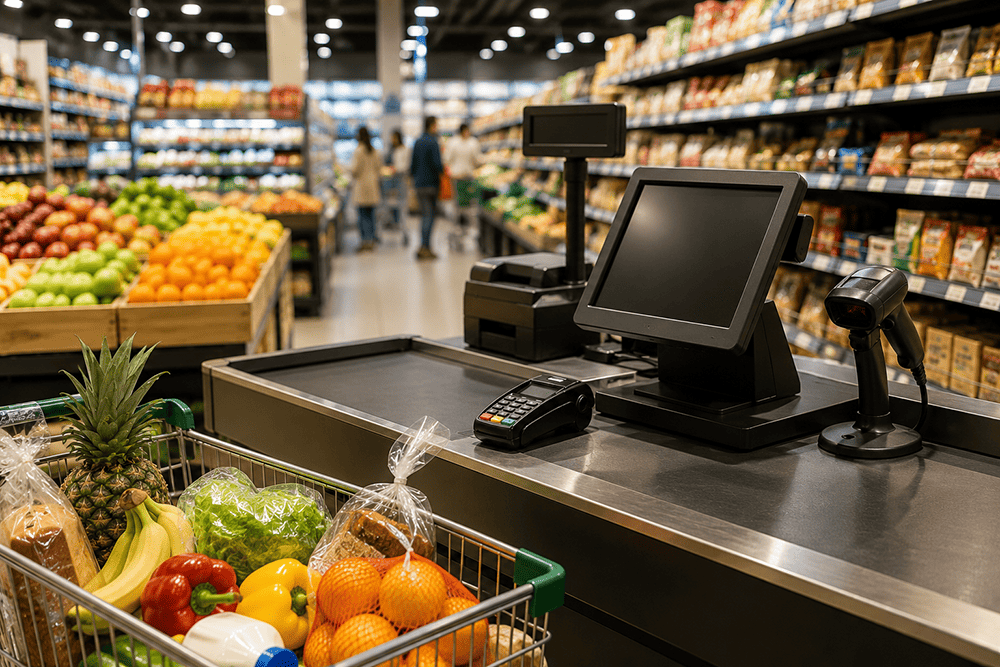
Every retail business starts somewhere, and for many, that starting point is a point-of-sale system. POS software is fast to deploy, familiar to staff, and handles the core job of ringing up sales. But as retailers grow – adding locations, launching e-commerce, expanding SKU counts, or building wholesale relationships – many discover that their POS system was never designed to run the whole business. It was designed to run the register.
The question retailers eventually face isn’t whether POS software is good or bad – it’s whether a standalone POS is still the right foundation for where the business is headed, or whether it’s time to move to an ERP platform with retail management built in. This comparison breaks down where each approach holds up, and where the gaps start to show.
What Standalone POS Systems Do Well
Standalone POS systems are purpose-built for transaction speed at the register: fast checkout, straightforward staff training, and integration with common payment processors. For a single-location retailer with simple inventory and no e-commerce ambitions, a good POS system can be entirely sufficient for years.
• Low upfront cost and fast setup
• Familiar, easy-to-train interface for front-line staff
• Solid at the core job: processing sales and payments
Where Standalone POS Starts to Break Down
The limitations of POS-only operations tend to surface gradually, then all at once, usually around the same growth milestones: a second or third location, an e-commerce launch, or a wholesale/B2B channel added to a direct-to-consumer business.
• Inventory becomes fragmented. Each location or channel often tracks stock semi-independently, requiring manual reconciliation to get an accurate company-wide inventory picture.
• Financials live in two places. POS transaction data typically has to be exported and re-entered or synced into separate accounting software, creating lag and reconciliation errors.
• Omnichannel visibility suffers. Without native integration, online and in-store inventory can fall out of sync, leading to overselling, stockouts, or manual double-entry between systems.
• Purchasing stays reactive. Without demand-driven replenishment tools, reordering tends to rely on gut feel or manual spreadsheet analysis rather than actual sales velocity data.
• Reporting requires manual assembly. Getting a single view of sales, inventory, and margin across locations often means exporting data from multiple systems and combining it by hand.
What an ERP-Integrated Approach Adds
An ERP platform like Acumatica doesn’t replace the point-of-sale experience – it connects it to the rest of the business. Sales transactions flow directly into inventory, financials, purchasing, and customer records in real time, so the numbers retail leadership sees on a dashboard are the same numbers reflected on the sales floor and in the warehouse.
For multi-location and omnichannel retailers in particular, this connectivity is what allows accurate promise dates, real-time stock visibility for online shoppers, and demand-based replenishment that reacts to actual sell-through rather than static reorder points.
Side-by-Side Comparison
| Capability | Standalone POS | ERP-Integrated (Acumatica) |
| Inventory visibility | Per-location, often manually reconciled | Real-time, unified across all locations and channels |
| Financial reporting | Requires export/import into accounting software | Financials update automatically as transactions post |
| Omnichannel / e-commerce sync | Typically needs separate middleware or manual updates | Native, real-time sync across online and in-store inventory |
| Multi-location scalability | Each location often runs semi-independently | Centralized control with location-level detail |
| Purchasing & replenishment | Manual or rule-of-thumb reordering | Automated replenishment based on demand and sales velocity |
| Customer data & CRM | Limited to transaction history | Unified customer profiles across purchase, service, and marketing touchpoints |
| Reporting & analytics | Basic sales reports | Real-time dashboards across sales, inventory, and financials |
| Total cost of ownership over time | Lower upfront, higher hidden integration/reconciliation cost | Higher upfront, lower long-term operational overhead |
How to Know When It’s Time to Move Beyond Standalone POS
A few signals tend to indicate a retail business has outgrown a POS-only setup:
• Staff spend significant time each week manually reconciling inventory or sales data between systems
• Online and in-store inventory counts frequently disagree, leading to oversells or stockouts
• Month-end close takes days because financial data has to be manually pulled from POS exports
• Purchasing decisions rely on manager intuition rather than actual demand data
• Adding a new location or channel means adding another disconnected system rather than extending an existing one
None of these signals mean the original POS choice was wrong – it usually means the business has grown past what any POS-only setup, however good, was built to handle. That’s a good problem to have, and it’s a natural inflection point to evaluate an ERP-integrated retail platform.
The Hidden Cost of “Good Enough” Reconciliation
The true cost of a standalone POS setup rarely shows up as a single line item, which is part of why it’s so easy to underestimate. It shows up in the hours a bookkeeper spends each month manually matching POS exports against bank deposits. It shows up when a store manager has to call another location to check stock because the system-of-record inventory count can’t be trusted. It shows up in markdowns taken on inventory that was actually in stock at a different location the whole time, invisible to the team that could have transferred it in time to sell at full price.
These costs are diffuse, spread across many small inefficiencies rather than one obvious expense, which is exactly why they’re easy to tolerate for years – and why they’re worth totaling up explicitly before assuming a standalone POS is still the cheaper option. A retailer that adds up the fully loaded cost of manual reconciliation, lost sales from oversells, and markdowns from misallocated inventory often finds the real cost of “good enough” is higher than the cost of an integrated platform.
What About “POS Plus Add-Ons”?
A common middle-ground approach is to keep a standalone POS and layer on additional point solutions – a separate accounting package, a third-party inventory tool, an e-commerce integration platform – to patch the gaps as they appear. This can work as a stopgap, but it tends to create a different problem: instead of one system that doesn’t do everything, retailers end up with four or five systems that each do one thing, none of which share a common data model.
Every additional point solution adds another integration to maintain, another point of failure when APIs change or sync jobs fail silently, and another login and workflow for staff to learn. Retailers who go this route often find that the cumulative cost – in subscription fees, integration maintenance, and staff time spent troubleshooting sync issues – approaches or exceeds what an ERP-integrated platform would have cost, without delivering the same level of real-time accuracy.
What the Transition Actually Involves
Retailers considering a move from standalone POS to an ERP-integrated platform often assume the transition will be disruptive to daily operations. In practice, a well-planned implementation is staged specifically to avoid that. Historical sales and customer data migrate first, master inventory and pricing data is validated and cleaned before go-live, and POS front-end workflows for staff are typically designed to feel familiar even though the backend is now unified with financials and inventory.
The bigger consideration usually isn’t technical disruption – it’s making sure the retailer chooses a platform with retail-specific functionality already built in (point-of-sale integration, promotions and pricing rules, gift card and loyalty support) rather than a generic ERP that requires heavy customization to handle retail transaction volume and workflows.
Questions to Ask Before Deciding
A structured decision is easier than an instinct-driven one. Before committing to either path, retail leadership teams typically benefit from working through a short set of questions with their finance and operations leads:
• How many hours per week does the team currently spend manually reconciling inventory or financial data across systems?
• Over the past year, how often has an online order been cancelled or delayed due to an inventory count that turned out to be wrong?
• Are location or channel expansion plans on the roadmap for the next 12 to 24 months?
• Would real-time, company-wide inventory and sales visibility change how purchasing or promotional decisions get made today?
• What would it cost, in staff time and lost sales, to keep operating exactly as-is for another two years?
Retailers who work through these questions honestly usually find the answer becomes clear well before they finish the list. The businesses that stay comfortably on standalone POS tend to have short, simple answers across the board. The businesses already feeling friction in two or three of these areas are usually the ones for whom an ERP-integrated platform will pay for itself well within the first year or two.
Making the Decision
The right choice depends on where a retail business is today and where it’s headed over the next two to three years. A single-location retailer with no near-term expansion plans may reasonably stay on a standalone POS for now. A retailer adding locations, launching e-commerce, or building out wholesale operations will typically find that the reconciliation overhead of a POS-only approach grows faster than the business does.
As the retail industry continues to adopt AI-driven demand forecasting and personalization tools, it’s worth noting that these capabilities depend on having clean, unified, real-time data – something an ERP-integrated foundation provides and a fragmented POS-only environment struggles to support.
Not Sure Which Path Fits Your Retail Business?
Acuvera Tech has deep industry experience helping retailers evaluate and implement the right ERP foundation for their growth stage. Let’s talk through your specific setup.